
Workflow Center
Reminder
Operations in this section require logging in to the system with a system administrator account.
Description
Relationship between processes and tasks:
One application corresponds to one process. One process may have multiple approval nodes. Each approval node corresponds to one task (single person approval) or multiple tasks (multiple person countersignature)
Process Overview
Description
This page lists all workflows in the system, facilitating system administrators to monitor process status.
- Click Workflow Center > Process Overview
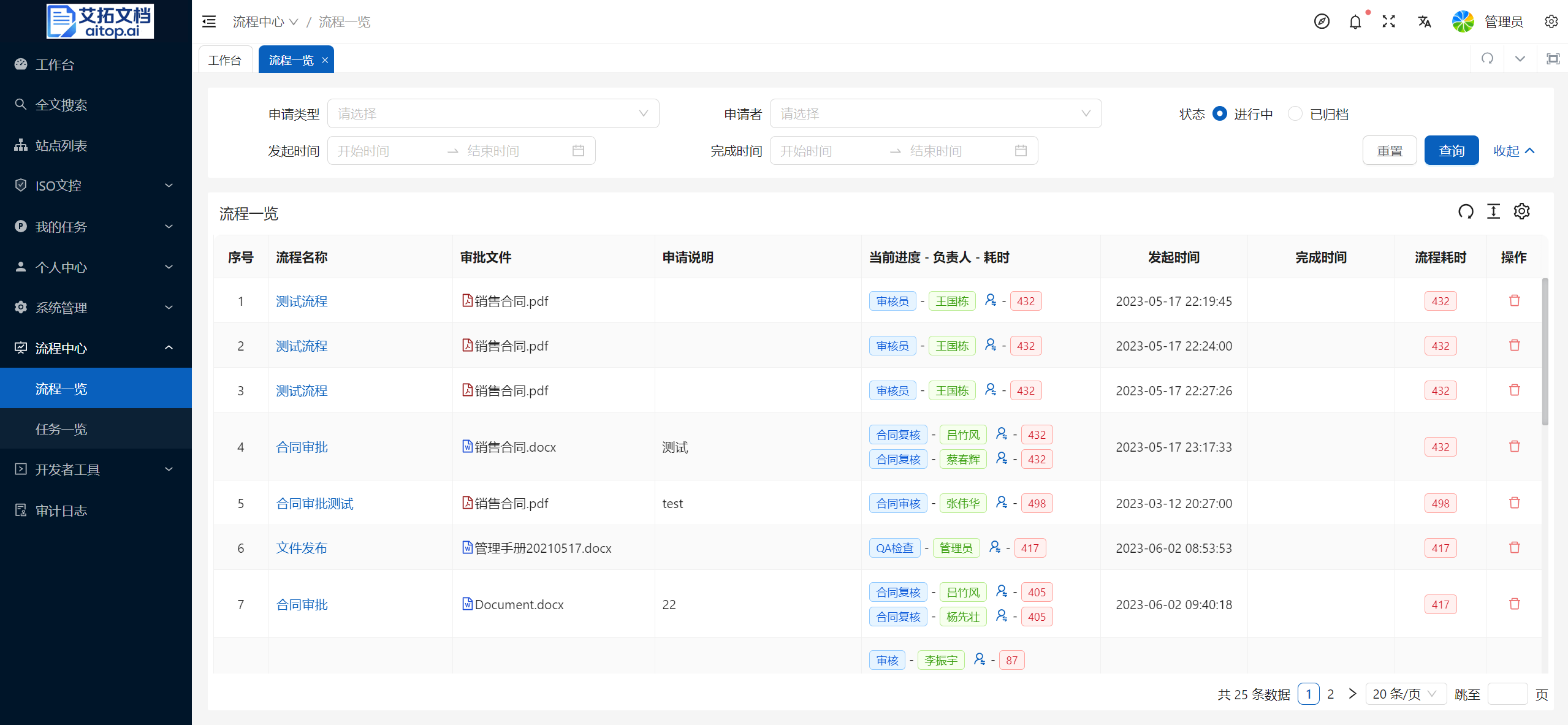
Above the list, you can enter search criteria to retrieve data that meets the conditions
Click the Process Name column in the list to enter the specific process form page to view detailed information
Click the Person icon in the Current Progress - Person in Charge - Time Consumed column in the list to transfer the task to other personnel for processing
Click the Delete button in the Operation column of the list to delete the process (cancel application)
Task Overview
Description
This page lists all tasks in the system, facilitating system administrators to monitor task status.
Through this page, you can perform batch task transfer operations to deal with situations such as personnel resignation.
- Click Workflow Center > Task Overview
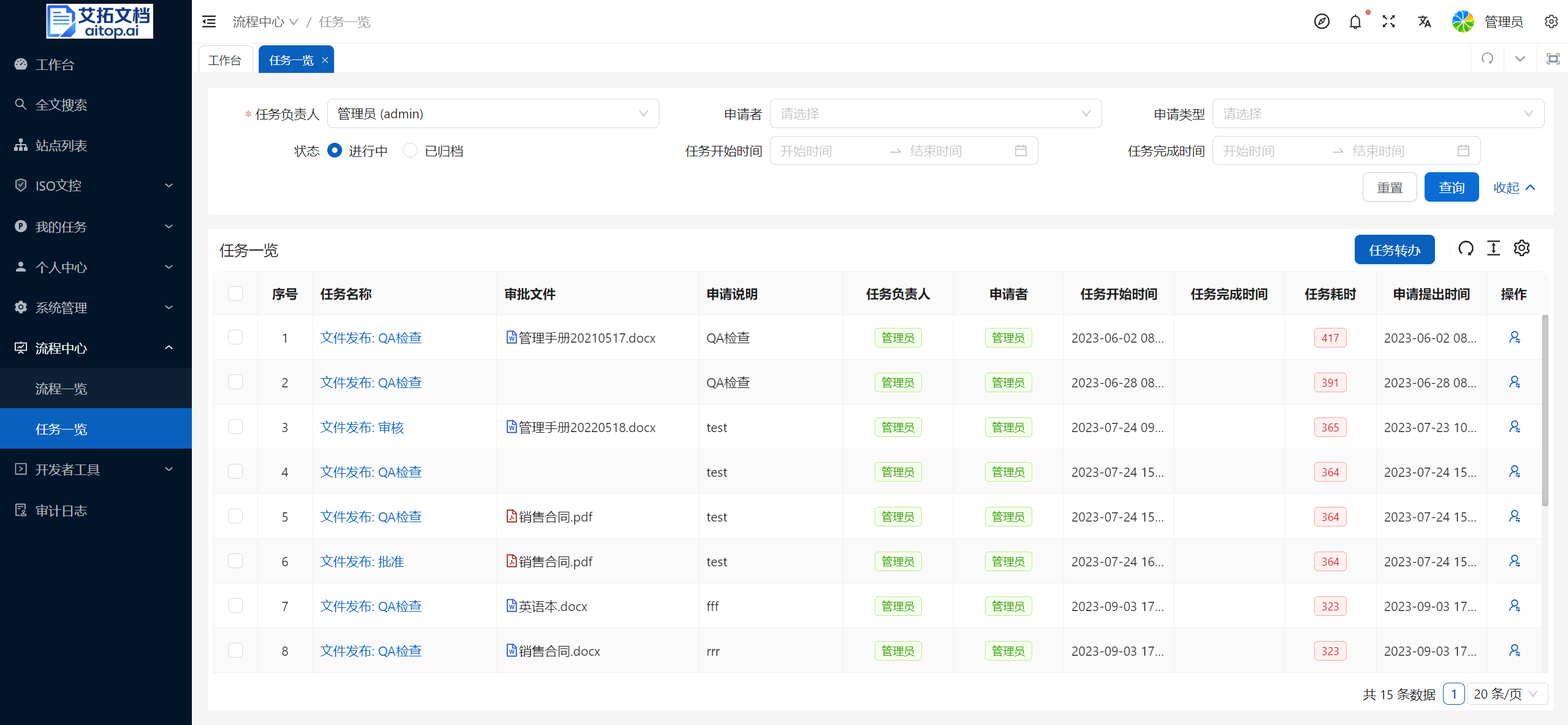
The Task Overview page does not display data by default. You need to specify the Task Person in Charge above the list first
Above the list, you can enter search criteria to retrieve data that meets the conditions
Click the Task Name column in the list to enter the specific process form page to view detailed information
Single task transfer: Click the Person button in the Operation column of the list to transfer the task to other personnel for processing
Batch transfer: After selecting data in the list, click the Task Transfer button on the toolbar to batch transfer tasks to other personnel for processing